Learns with every rating
Give 1 to 5 stars, mark “Watched” or “Not interested”. Suggestions get better with every rating – computed right on your device.
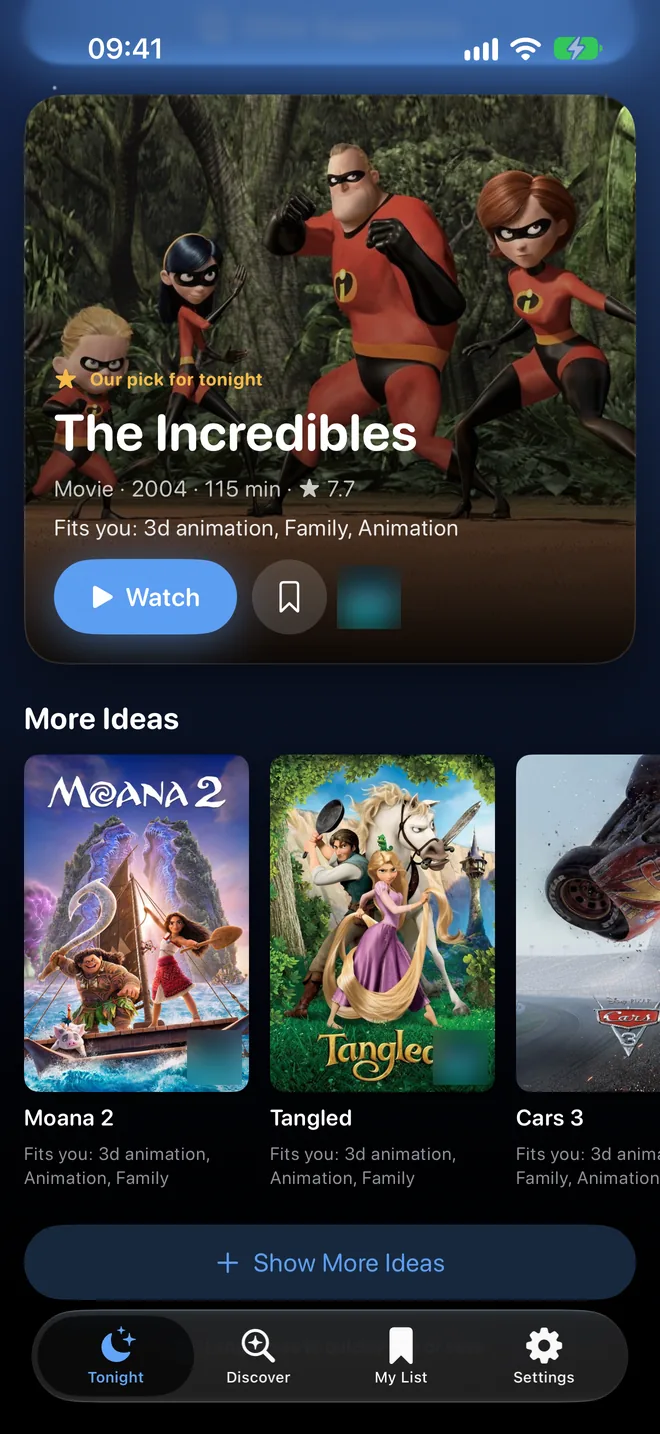
In 10 seconds – only from your subscriptions. StreamNight suggests movies and shows that fit you, and tells you why.
You want to watch a movie. Not spend forever finding one.
Set it up once, then one tap is enough. StreamNight knows your subscriptions and learns your taste.
Pick your country, tap your streaming subscriptions, choose your favourite genres and rate a few well-known movies. No account, no email.
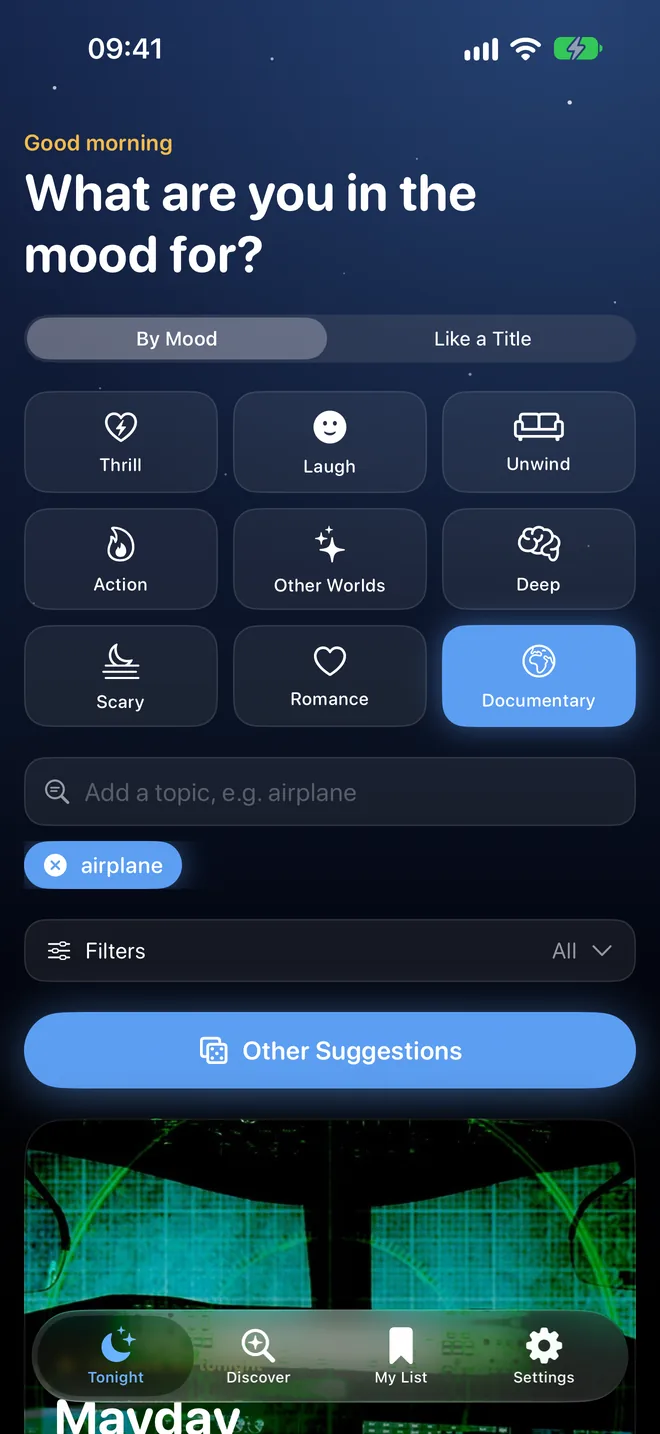
By mood, by a topic like “airplane”, or “like a title” you enjoy. Combine several topics and add filters if you like.
Only titles on your subscriptions. Each one says why it fits: “Fits you: Family, Animation, Adventure”. One idea is deliberately a surprise.
Tap “Watch” to go to the title – its TMDB or JustWatch page, or straight into the streaming service’s app. Nothing for you? Tap “Other suggestions”.
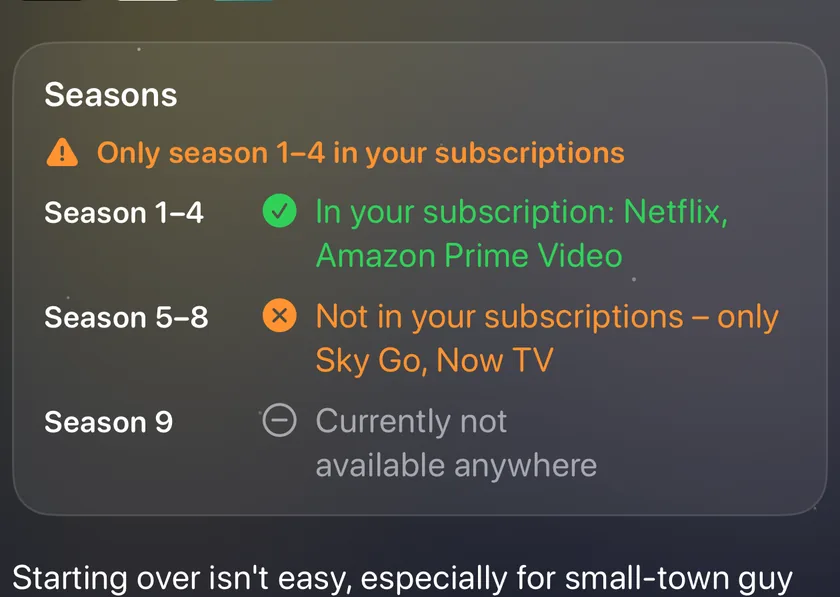
Shows are rarely complete on one service. StreamNight shows at a glance which seasons are on your subscriptions – and where the rest is.
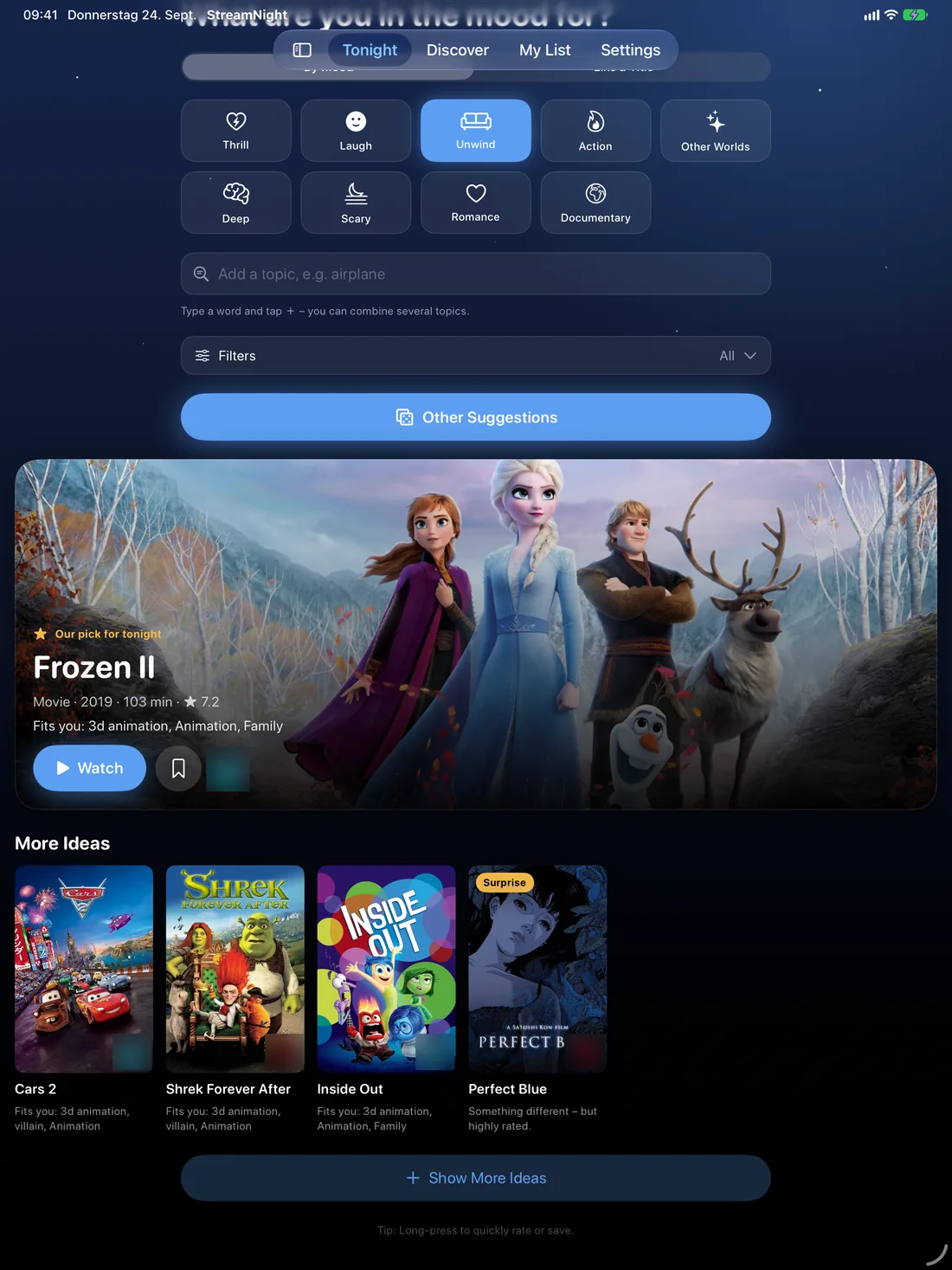
On iPad, StreamNight gets its own layout with big posters – in landscape and Split View too. Ratings and watchlist sync via iCloud.
Give 1 to 5 stars, mark “Watched” or “Not interested”. Suggestions get better with every rating – computed right on your device.
Which service would have the most titles that match your taste? Handy before you subscribe or cancel.
New releases, top titles and lists per service. Plus filters by genre, decade and rating, and pages for actors.
Save titles for later. StreamNight occasionally checks whether they’re still on your subscriptions and lets you know.
Watch trailers right in the app – only loaded when you tap “Trailer”.
Send a movie to friends via link. With StreamNight installed, it opens right in the app.
Ratings and watchlist on all your devices – via your private iCloud.
Long-press a poster to rate it or save it.
StreamNight needs no account and shows no ads. Ratings, watchlist and settings stay on your device – and, if you like, in your private iCloud. We have no access to them.
More in our privacy policy.
Free for iPhone, iPad and Android.